Solar Battery Size Guide Australia 2026: How Many kWh Do You Actually Need?
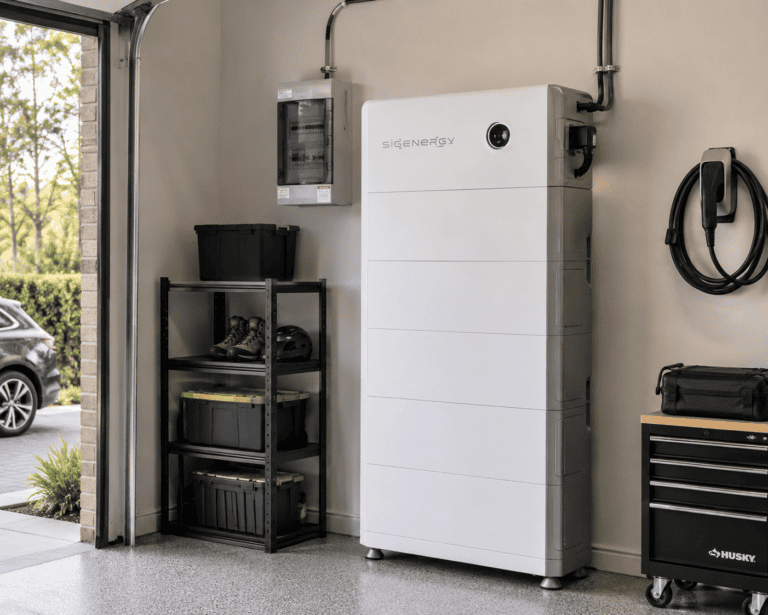
This is one of the most important things to understand about home batteries in Australia — and one of the most commonly misunderstood. Not all solar batteries automatically keep your home running during a blackout. Some do. Many don’t. And the ones that do vary significantly in how much of your home they can actually power.
If blackout protection is a priority for you, here’s exactly what to look for, what questions to ask, and which systems genuinely deliver.
Why Most Batteries Don’t Automatically Provide Backup Power
When the electricity grid goes down, most solar and battery systems shut down automatically. This happens for a critical safety reason: if your solar panels are still feeding power into the grid during an outage, it could electrocute the linespeople trying to restore power.
Grid-connected solar inverters are required by Australian standards to detect a grid outage and disconnect within milliseconds — a feature called anti-islanding protection. This is non-negotiable for grid safety.
The problem: basic battery systems use the same inverter for both solar and battery discharge. When anti-islanding kicks in, it shuts down everything — including your battery’s ability to power your home.
The solution: a battery with a dedicated backup circuit or islanding capability. Premium batteries include hardware that detects a grid outage, disconnects from the grid, and switches to a standalone backup mode — all within milliseconds. Your home then runs from stored battery power as an “island” independent of the grid, which is safe because you’re no longer connected to the network.
The Key Specs to Look For
1. Backup capability (most important) The battery must explicitly advertise whole-home or essential circuits backup. Not all batteries have this. Check the spec sheet or ask your installer directly: “Does this battery provide backup power during a grid outage?”
2. Continuous power output (kW) This is the most important number for understanding what your home can actually run during a blackout. It tells you the maximum load the battery can power simultaneously.
- 5–7 kW: Covers essential circuits — fridge, lights, internet, phone charging, small appliances
- 9–10 kW: Covers most of your home, including smaller air conditioners
- 11.5 kW+: Whole-home capable — runs air conditioning, oven, washing machine simultaneously
3. Switchover time How quickly does the battery switch to backup mode after a grid outage? Premium systems switch in under 20 milliseconds — too fast for most sensitive electronics to notice. Slower systems (1–30 seconds) may cause computers to restart and some appliances to reset.
4. Storage capacity (kWh) Determines how long your home can run on battery power without solar input. At typical household consumption rates:
- 10 kWh: 8–12 hours of essential circuits, or 4–6 hours of whole-home use
- 13.5 kWh: 12–18 hours of essential circuits, or 6–8 hours of whole-home use
- 20 kWh+: 24+ hours of essential coverage
Which Batteries Provide Blackout Protection?
Tesla Powerwall 3 — Best for Whole-Home Backup
Continuous power output: 11.5 kW Peak power: 185A / 30 kW (for 10 seconds) Switchover time: <20 milliseconds Backup type: Whole-home
The Powerwall 3 is the clear leader for blackout protection in the Australian residential market. Its 11.5 kW continuous output is roughly double what most competitors deliver — meaning your air conditioner, oven, washing machine, and other high-draw appliances can all run simultaneously during a blackout without tripping.
This is the battery to choose if whole-home backup during extended outages is your primary concern. The premium price is largely justified by this specification.
BYD Battery-Box HVM — Good Backup with Flexible Inverter Pairing
Continuous power output: 7 kW Switchover time: <20 milliseconds Backup type: Essential circuits to most-home (inverter dependent)
BYD’s Battery-Box HVM provides reliable blackout protection when paired with a compatible hybrid inverter (Fronius, SMA, SolarEdge, GoodWe). The 7 kW continuous output covers most household loads — fridge, lights, internet, smaller appliances, and low-draw air conditioning.
Strong choice for households retrofitting a battery to an existing Fronius or SMA inverter who want backup protection without paying the Powerwall premium.
Sungrow SBR — Good Backup for New Installs
Continuous power output: 9.6 kW Switchover time: <20 milliseconds Backup type: Whole-home capable (with Sungrow SH hybrid inverter)
When paired with a Sungrow SH hybrid inverter, the SBR provides strong backup capability at 9.6 kW continuous. This covers most household loads including standard split-system air conditioning.
Important caveat: the backup capability only works with a Sungrow hybrid inverter. If you’re retrofitting to an existing non-Sungrow system, you’d need to replace your inverter — significantly adding to cost.
Alpha ESS — Essential Circuits Backup
Continuous power output: 5–7.5 kW (model dependent) Backup type: Essential circuits
Alpha ESS provides backup protection for essential circuits — fridge, lights, internet, phone charging. Its 5–7.5 kW output means you’ll likely need to manage loads carefully during an outage, turning off high-draw appliances to avoid overloading the battery’s output capacity.
A solid mid-range option if backup is a secondary rather than primary priority.
Fox ESS — Large Capacity Backup
Continuous power output: Up to 12 kW (system dependent) Backup type: Whole-home capable (with Fox ESS hybrid inverter)
Fox ESS can deliver class-leading backup capacity at scale — particularly for larger systems (15–30 kWh+). Well-suited to large homes, small farms, or properties that want extended blackout coverage without the cost of multiple Powerwalls.
Whole-Home vs Essential Circuits Backup — What’s the Difference?
Essential circuits backup means the battery powers a subset of your home’s circuits — those connected to a backup panel (typically fridge, lights, internet router, some power points). During a blackout, your oven, air conditioner, pool pump, and other high-draw appliances don’t work.
Whole-home backup means the battery powers your entire home’s electrical load — everything runs as normal. This requires both sufficient storage capacity and sufficient continuous power output (at least 7–9 kW for most homes, ideally 11 kW+ for families with large appliances).
For most households, essential circuits backup is adequate for short outages (hours). Whole-home backup matters most for:
- Households with medical equipment that must stay powered
- Areas prone to extended outages (regional Australia, bushfire-prone areas)
- People working from home who need full functionality during outages
- Households with young children or elderly residents
How Long Will Your Battery Last During a Blackout?
This depends on your battery size and what you’re running. Rough estimates for a 13.5 kWh battery:
| What you’re running | Approx. duration |
|---|---|
| Fridge + lights + internet only | 18–24 hours |
| Above + TV and device charging | 12–18 hours |
| Above + occasional small appliance use | 10–14 hours |
| Split-system air con running continuously | 4–6 hours |
| Full household load | 3–5 hours |
If your solar panels are generating during the blackout (daytime outage), they continue charging your battery — extending these estimates significantly. A 13.5 kWh battery with solar recharging on a sunny day can run indefinitely on essential circuits.
What to Ask Your Installer Before Buying
Before committing to any battery for blackout protection, ask these specific questions:
- “Does this battery provide backup power during a grid outage — yes or no?”
- “Is that whole-home backup or essential circuits only?”
- “What is the continuous power output in backup mode?”
- “How quickly does it switch to backup mode after an outage?”
- “Do I need any additional hardware for the backup function, or is it included?”
- “Can I set a minimum reserve to ensure backup power is always available?”
Get the answers in writing. Some installers oversell backup capability — the spec sheet and the product manual are the authoritative sources.
Frequently Asked Questions
Will my solar panels keep working during a blackout? Only if you have a battery with islanding capability and your installer has configured it correctly. Without a compatible battery, your solar panels automatically shut down during a grid outage.
Can I run my air conditioner from battery during a blackout? Depends on the battery. A ducted air conditioning system typically draws 3–5 kW. A Tesla Powerwall 3 at 11.5 kW continuous can handle it. A battery with 5 kW output cannot run ducted air conditioning simultaneously with other appliances.
How do I know if my existing battery provides backup? Check your battery’s spec sheet for “backup mode” or “off-grid capability.” If you’re unsure, contact your installer or the battery manufacturer directly.
Does blackout protection cost extra? For systems like the Powerwall 3, backup capability is built in. Some other systems require a “backup gateway” or additional hardware — this is one reason Tesla’s Backup Gateway ($1,950) is required for Powerwall 3 installations. Factor this into total system cost comparisons.
How does the battery know when there’s a blackout? The battery’s inverter continuously monitors grid voltage and frequency. When it detects the grid has gone down, it disconnects from the network and switches to backup mode — all in milliseconds.
Battery specifications reflect manufacturer data as at August 2026. Backup performance depends on installation configuration and load management. Always verify backup capability and configuration with your installer before purchase.